
Receive supplies
Add inventory by scanning a barcode or entering item details.
StockHaven helps small medical offices, clinics, and supply rooms scan supplies, track storage locations, and see what is on hand without building another spreadsheet.
Start free. Upgrade once to Pro when your inventory grows.
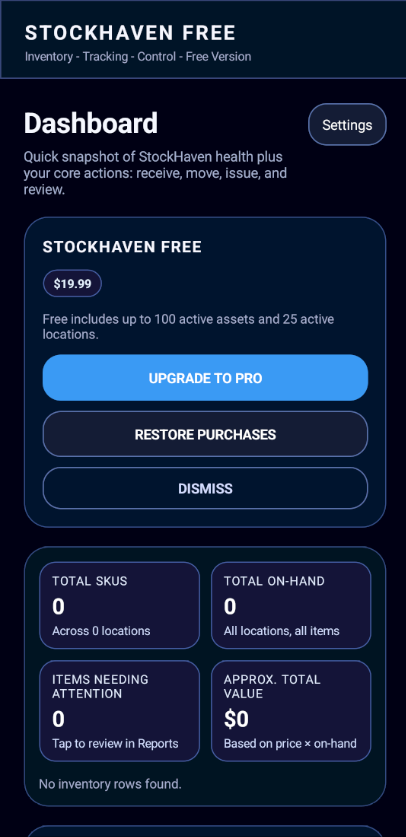
Real StockHaven iPhone screenshot
Small medical offices often track supplies with spreadsheets, paper notes, or memory. That works until supplies move, stock runs low, or someone orders what you already had.
StockHaven gives your team a simple way to track what you have, where it is, and what it is worth.
Add inventory by scanning a barcode or entering item details.
Use simple location names like Supply Closet / Shelf 2 / Bin A.
Transfer supplies between rooms, shelves, closets, cabinets, and bins.
Reduce inventory when supplies are consumed, removed, or assigned out.
See inventory by item, by location, and archived records.
Use backup/export tools to save a local copy of your inventory.
Start with the supplies your team looks for most often. Receive them into a location, move them when needed, issue them when used, and review reports when it is time to restock.
See inventory health, on-hand totals, value, and quick actions.
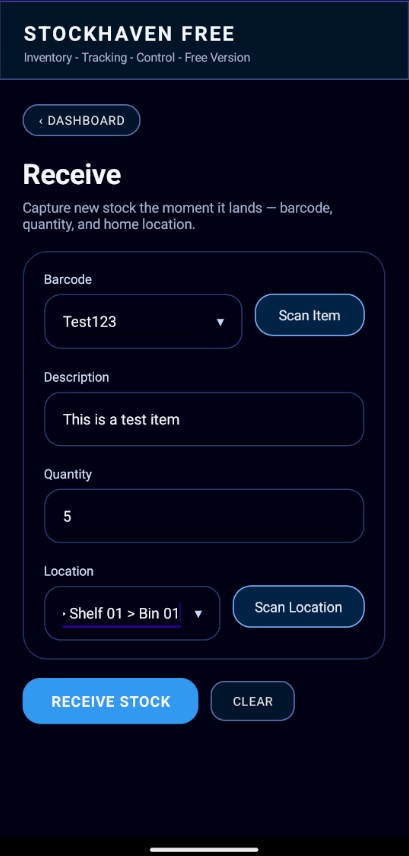
Capture new stock as it arrives by barcode, quantity, and location.
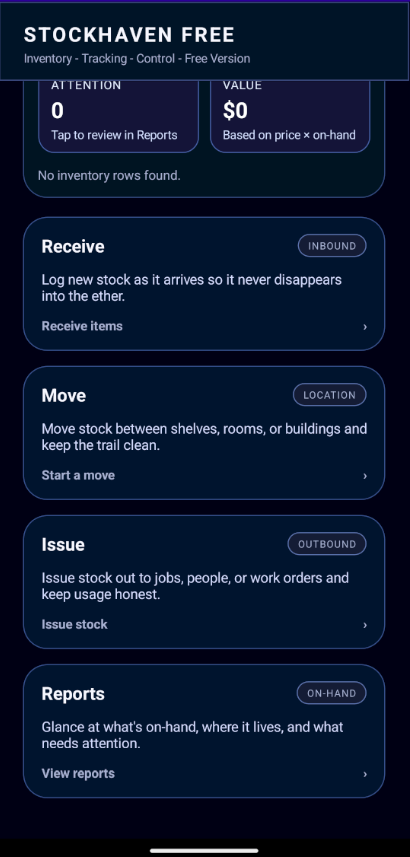
Keep counts current as supplies are received, relocated, or used.
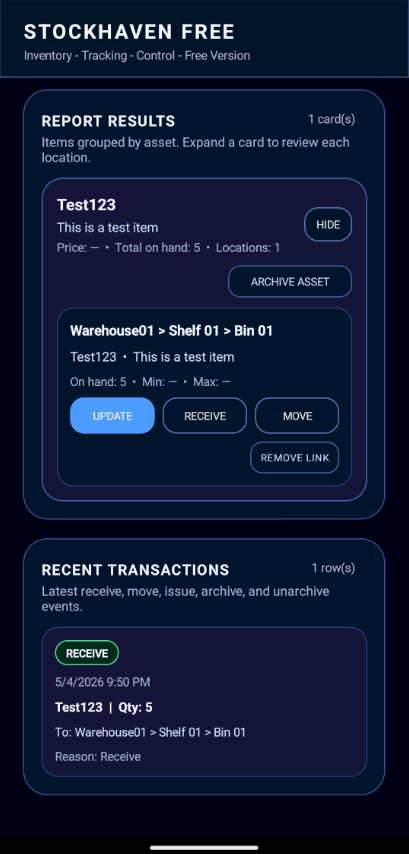
Review what is on hand and where each item is stored.
$0
Best for growing closets
$19.99 one-time unlock
StockHaven stores inventory data locally on your device. Backup/export tools are available so you can save a copy of your inventory.